¶ Creating Opportunity records
Opportunities are a way of tracking sales activities when a franchise is onboarding accounts, which ideally end up with a subscription.
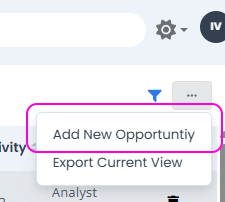
Opportunities can be created from two places: the first is directly on the Opportunities page, in the menu on the top-right menu:
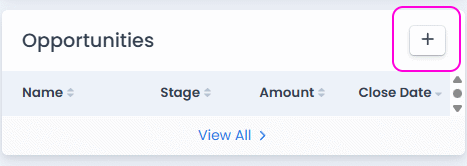
The second is by selecting an account and viewing its detail page. There is a list of opportunities on the right sidebar, and a + button for creating an opportunity record:
In both cases, the Add Opportunity form is shown:
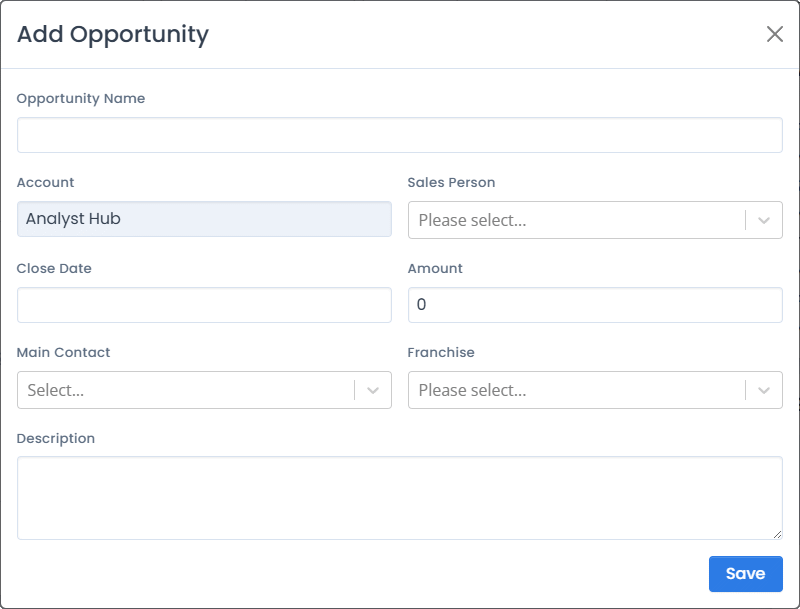
Its fields are:
¶ Opportunity Name
A descriptive name, used to easily find this particular record. Best practice is to use the franchise name and the account name (e.g. Account <-> Franchise Inc).
¶ Account
Account which is being prospected.
¶ Sales Person
AnalystHub sales person associated with the contact.
¶ Close Date
Close date (if the sale has been closed).
¶ Amount
Targeted amount.
¶ Main Contact
Contact person within the clint (account) organization.
¶ Franchise
For which franchise is the opportunity record created. The value of this field depends on the logged-in user.
¶ Description
Notes about the proccess.
¶ Managing Opportunities
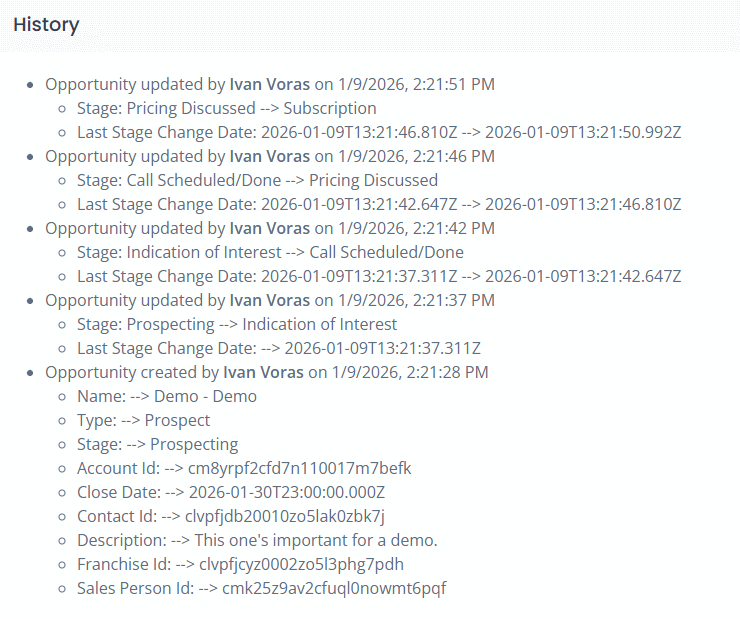
Interaction with an account usually goes through a number of stages, expressed as a list of steps or tabs on the top of the page for every Opportunity record:

The stages are:
- Prospecting
- Indication of Interest
- Call Scheduled/Done
- Pricing Discussed
- Subscription
- Closed
Clicking on a stage label will change the opportunity record stage. It will not automatically send messages or schedule calls with the prospect. Stages are used for documentation and statistics.
Each stage change produces a documentation note shown as an entry in the “History” section: