¶ Creating contacts
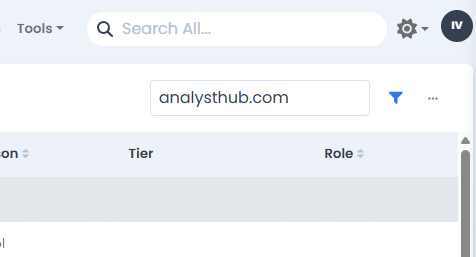
Contact records represent people and each contact is assigned to an account. They are created from the menu in the top-right of the Contacts page:
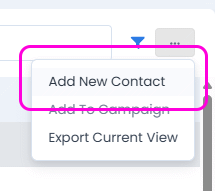
The Add New Contact form will appear:
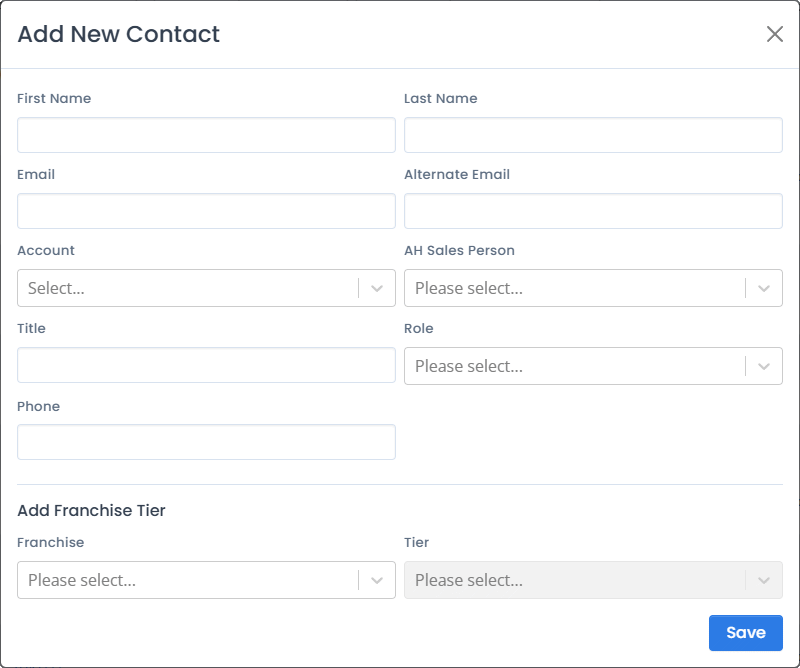
Field descriptions follow.
¶ First Name, Last Name
The person’s name.
¶ Email, Alternate Email
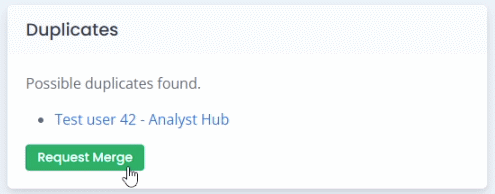
The primary and alternate e-mail address. If there’s an existing contact with one of those addresses, the portal will offer to merge those contacts into one.
¶ Account
Account to which the contact is assigned.
¶ AH Sales Person
Sales person on the AnalystHub assigned to the contact.
¶ Title
Title / position of the contact within their organization (e.g. Director of corporate development).
¶ Role
Normalized role of the contact with respect to the AnalystHub system. Can be one of:
- Assistent
- Broker contact
- Corporate
- Event Distro
- Gov
- Industry Contact
- Press
- Trader
¶ Phone
Phone number.
¶ Franchise & Tier
Initial franchise assignment, if know at the time the account is created.
¶ Tips and tricks
¶ Find contacts assigned to an account
To quickly see contacts assigned to an account, type the account name or website domain into the search box located on the top-left corner of the Contacts page.